De-mystifying the Meta-framework: Why I Rebuilt Next.js from Scratch
2026-01-15
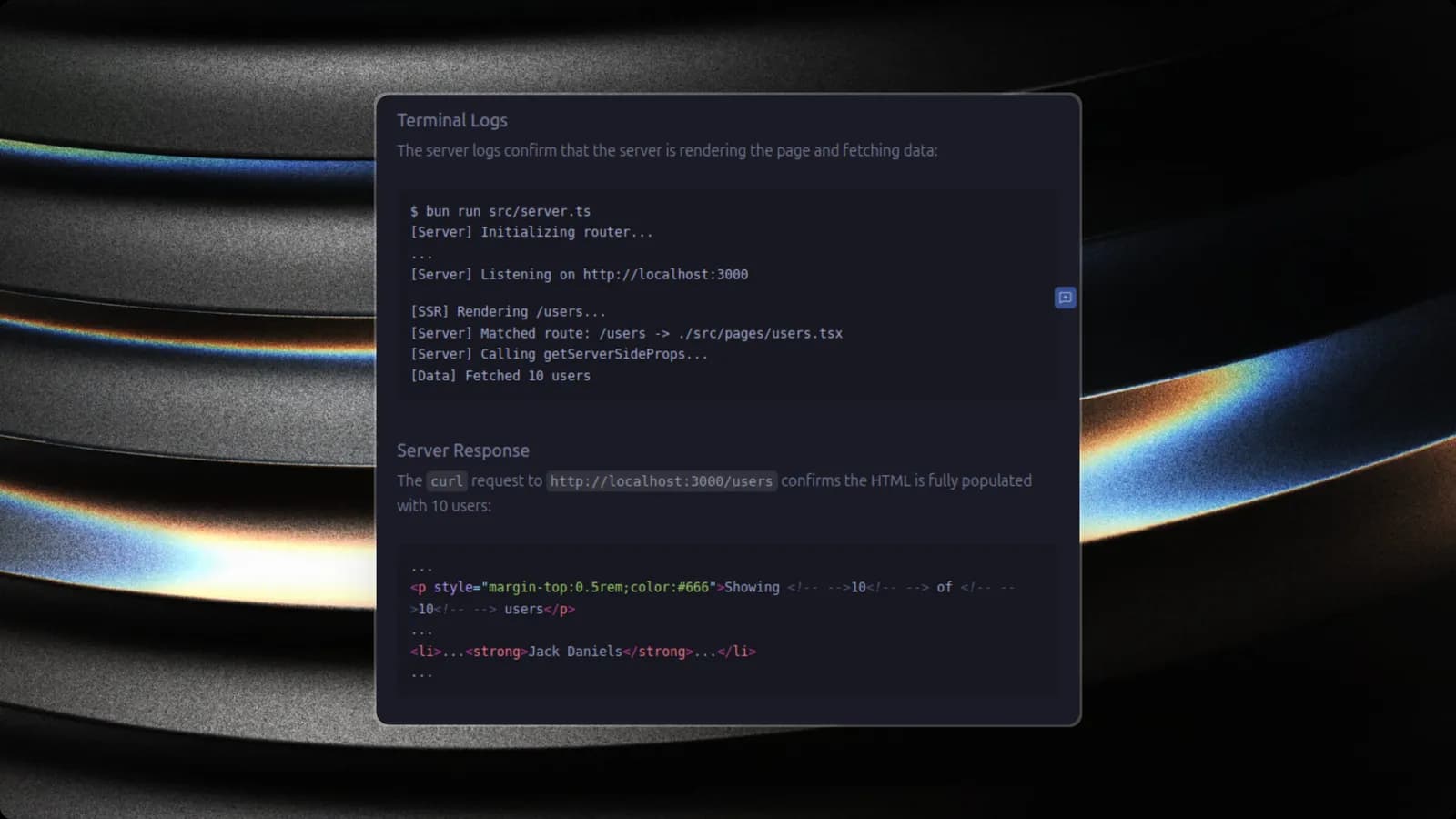
I used Next.js daily for two years. I knew how to use it. I could write a getServerSideProps function in my sleep and structure my pages directory perfectly.
But I didn't verify how it worked.
To me, Next.js was a black box. A magic compiler that took my React code and somehow made it SEO-friendly. As an engineer, "magic" is just a polite word for "abstraction I haven't understood yet."
So, I decided to break the abstraction. I built Un-nexted: a raw, bare-metal implementation of the server-side rendering (SSR) pipeline that powers modern web frameworks. No Vercel packages, no Webpack config hell. Just Bun, React 19, and first principles.
The Core Insight
After rebuilding the core, I realized that a meta-framework is really just three things glueing together:
- A Compiler (to separate server code from client code)
- A Server (to render strings and handle requests)
- A Synchronization Protocol (Hydration)
Here is how I implemented each stage.
1. The "Magic" of File-System Routing
We often take for granted that putting a file in pages/about.tsx makes it available at /about. Under the hood, this isn't magic; it's just a Glob pattern and a Hash Map.
In Un-nexted, the router doesn't rely on complex configuration. At server startup, it scans the directory:
// src/app/router.ts (Simplified)
const glob = new Glob("src/pages/**/*.tsx");

for await (const file of glob.scan()) {
  // Turn "src/pages/about.tsx" into "/about"
  const route = file.replace("src/pages", "").replace(".tsx", "");
  routes.set(route, file);
}
This map becomes the lookup table for every incoming HTTP request. If you hit /blog/my-post, the router creates a Regex matcher to find the corresponding [slug].tsx file.
2. The Server-Side Rendering Pipeline
The heart of the framework is the Request/Response cycle. This is where getServerSideProps lives.
In a client-side app (SPA), the browser downloads an empty HTML shell and fetches data after the JavaScript loads. In Un-nexted, we flip this:
- Interception: The server catches the request.
- Data Fetching: It dynamically imports the page component and checks for a
getServerSidePropsfunction. - Execution: It awaits the data fetch on the server (direct DB access allowed here!).
- Rendering: It uses
react-dom/serverto render the component tree with the fetched data into a string.
// src/app/server.ts
const Page = await import(filePath);
let props = {};

// 1. Fetch data on the server
if (Page.getServerSideProps) {
  props = await Page.getServerSideProps(context);
}

// 2. Render to HTML string
const appHtml = renderToString(<Page {...props} />);

// 3. Send to browser
return new Response(template.replace("<!--app-->", appHtml));
3. The Hydration & Serialization Gap
This was the hardest engineering challenge.
If you just send the HTML string, the user sees the content, but the buttons don't work. The page is "dead." To bring it to life, React needs to Hydrate it in the browser.
But there is a catch: The browser doesn't know the data the server fetched.
If the server renders a list of 5 users, but the browser initializes with an empty list, React will throw a hydration mismatch error because the HTML structures don't match.
The Solution: Window Injection
To solve this, Un-nexted implements the "Script Injection" pattern used by Next.js and Remix. We serialize the server props and attach them to the global window object before sending the HTML.
On the Server:
<script>
  window.__UNNEXTED_DATA__ = ${JSON.stringify(serverProps)};
</script>
On the Client:
// src/app/client.tsx
const initialData = window.__UNNEXTED_DATA__;

// React "picks up" where the server left off
hydrateRoot(document.getElementById('root'), <App {...initialData} />);
Why Bun?
I chose Bun for this project, and it significantly reduced complexity.
- Unified Tooling: Bun acts as the Runtime (Node alternative), the Bundler (Webpack alternative), and the Package Manager (npm alternative).
- Speed: Cold starts for the dev server are effectively instant.
- Native TypeScript: I didn't have to configure Babel or
tscto get the server running.
What I Learned
Rebuilding a tool is the best way to respect it. Un-nexted works for basic use cases, but it lacks the production hardening of Next.js:
- ISR/Caching: My implementation renders on every request. Next.js has a sophisticated caching layer.
- Route Groups: My Regex router is simple; production routers use Radix Trees for performance.
- Security: Serializing data to the window requires careful sanitization to prevent XSS attacks.
Conclusion
Un-nexted isn't meant to replace Next.js. It's meant to replace the "magic" with understanding.
By stripping away the complexity, I found that the core architecture of the web hasn't changed much. It's still just a server sending text to a browser. We've just gotten very good at optimizing how that text is generated.